Room layout planner: see if it fits before you move it
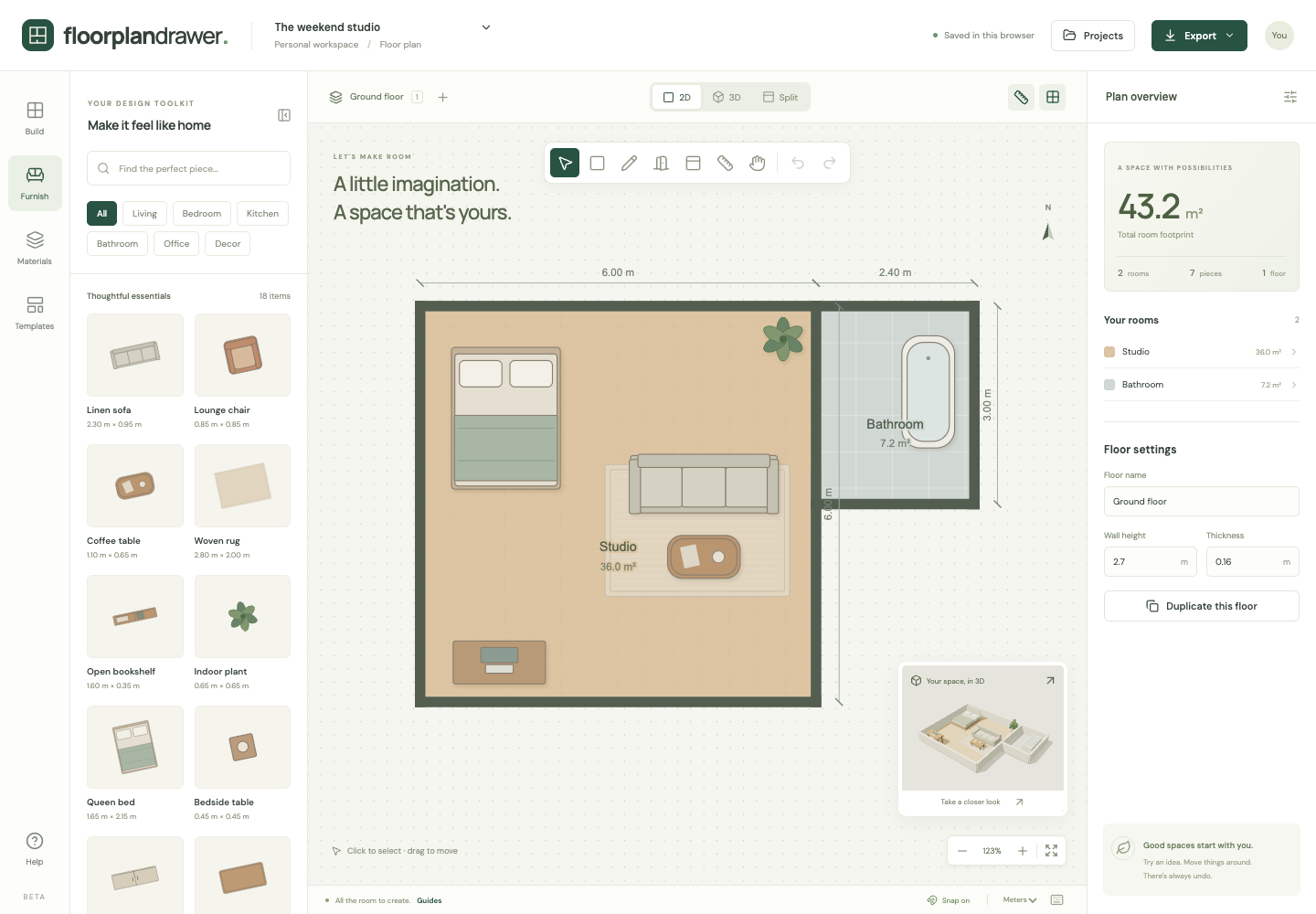
Draw one room to its real measurements, then drag furniture around until the layout works. Resize items to match the pieces you own and check clearances in 2D and 3D.
Plan a room nowFree. No account. Saves in your browser. Exports PNG, SVG and project files.
What you get
Furniture you can resize
Every catalog item has editable width, depth and height, so a 2.4 m sofa in the plan is a 2.4 m sofa in your living room.
Rotate, duplicate, recolor
Type any angle or press ] to turn a piece 45 degrees, duplicate it with one shortcut, and recolor items to match your room.
Measure tool
Check walkway widths and clearances between pieces with the measure tool before you buy or move anything.
Live 3D preview
A miniature 3D view updates as you drag, so you can judge scale and sight lines, not just top-down footprints.
What to check in each room
The planner works for any rectangular room. To plan several rooms together, use the house floor plan maker.
Living room
Draw the doors and windows first, then place the sofa. Keep a clear route from the door to the other exits of the room and check its width with the measure tool.
Bedroom
Place the bed first, then check that wardrobe doors and drawers can open fully. The catalog bed measures 1.65 × 2.15 m; change it to the size of your frame.
Kitchen
Kitchens need wider working aisles than other rooms. The kitchen layout planner has a kitchen template and the NKBA clearance figures.
Home office
Leave room behind the desk chair to push back and stand up. For more than one desk, start from the office floor plan maker template.
Wheelchair routes
If anyone in the home uses a wheelchair, the 2010 ADA Standards for Accessible Design (section 403.5.1) give 36 in (915 mm) as the minimum clear width of a route. Measure the narrowest point between pieces.
How it works
- Measure your room, then draw it with Draw room and type the exact width and length.
- Add the door and windows so you know what you are working around, then drag furniture in from the catalog.
- Resize each item to your real furniture, try a few arrangements, and export the one you choose as a PNG.
Frequently asked questions
- Is this a free room planner?
- Yes. It is the same free floor plan maker as the rest of the site, with no account and no paid tier.
- Can I add my own furniture sizes?
- Yes. Pick the closest catalog item and edit its width, depth and height to match the piece you own or plan to buy.
- Can I plan a living room, bedroom or dorm room?
- Yes. Any rectangular room works. The catalog includes sofas, beds, tables, desks, wardrobes, kitchen units, appliances and bathroom fixtures.
- Does it show the room in 3D?
- Yes. Use the 3D or split view to orbit the room with furniture in place. Walls can be shown full height or cut away.