Blueprint maker for simple, to-scale plans
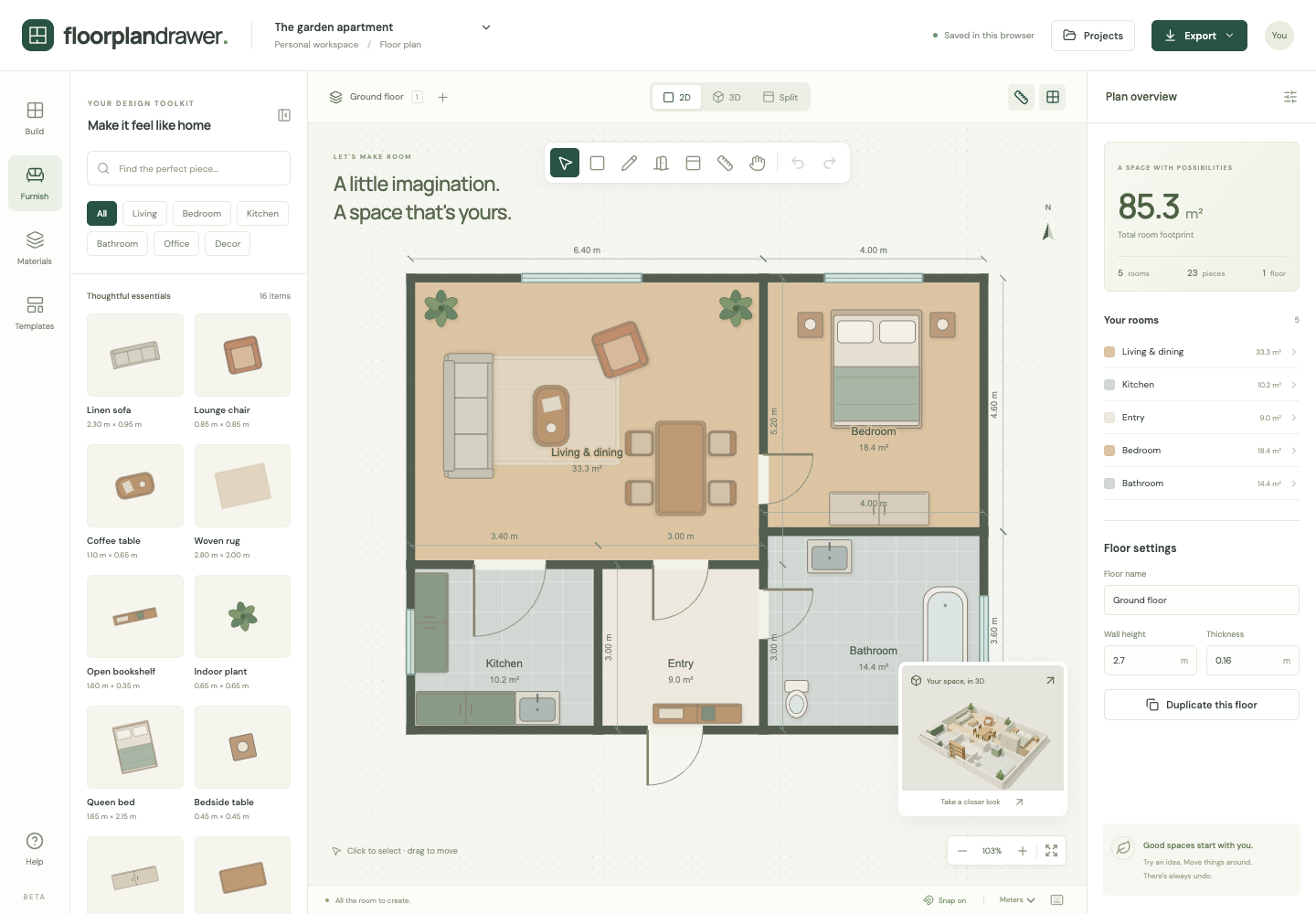
Draw dimensioned plans for a house, an extension, a garage or a single room. Floor Plan Drawer keeps everything in real units, so your blueprint is to scale.
Start a blank blueprintFree. No account. Saves in your browser. Exports PNG, SVG and project files.
What you get
Dimensioned walls
Centerline dimensions display on every wall. Turn them on for a blueprint or off for a clean presentation plan.
Free-standing and angled walls
Draw walls independently of rooms, hold Shift for angled walls, and place doors and windows on any of them.
Metric or imperial
Switch the whole plan between meters and feet at any time. Values convert; the geometry does not change.
Vector export
Export SVG for sharp printing at any scale, or a 2400-pixel PNG for email and messaging.
Blueprint, floor plan or construction drawing?
Blueprint
Originally a copy of a technical drawing made with the cyanotype process, which printed white lines on blue paper. Today the word is used for any architectural plan.
Floor plan
A drawing of one level of a building seen from above, as if cut horizontally at about window height, showing walls, doors, windows and fixed fittings with their dimensions. This is what Floor Plan Drawer makes.
Construction drawings
The set a builder works from: plans, elevations, sections, and structural and electrical drawings, usually prepared by an architect or engineer and often required for a permit. Floor Plan Drawer does not produce these.
How it works
- Start blank, set units, and draw the exterior walls with Draw room or Draw wall.
- Add interior rooms, doors and windows. Type exact dimensions in the side panel.
- Turn on dimensions and labels, then export SVG or PNG.
Frequently asked questions
- Is this a real construction blueprint?
- It is a dimensioned floor plan you can share and print to scale. It does not produce structural, electrical or code-compliant construction drawings. Have a professional prepare those.
- Can I make a blueprint of my current house?
- Yes. Measure each room and enter the sizes (the step-by-step guide lists what to measure), or upload a photo of an existing plan as a tracing layer and draw over it.
- Can I export to PDF or DXF?
- Not yet. Export SVG, which opens in Illustrator, Inkscape and most CAD tools, or a high-resolution PNG.
- Does the blueprint maker cost anything?
- No. It is part of the free floor plan maker, with no account and no export paywall.