Free floor plan maker, no sign-up required
Open the editor and start drawing. Floor Plan Drawer runs entirely in your browser: no account, no download, no trial timer and no watermark on your exports.
Start drawing for freeFree. No account. Saves in your browser. Exports PNG, SVG and project files.
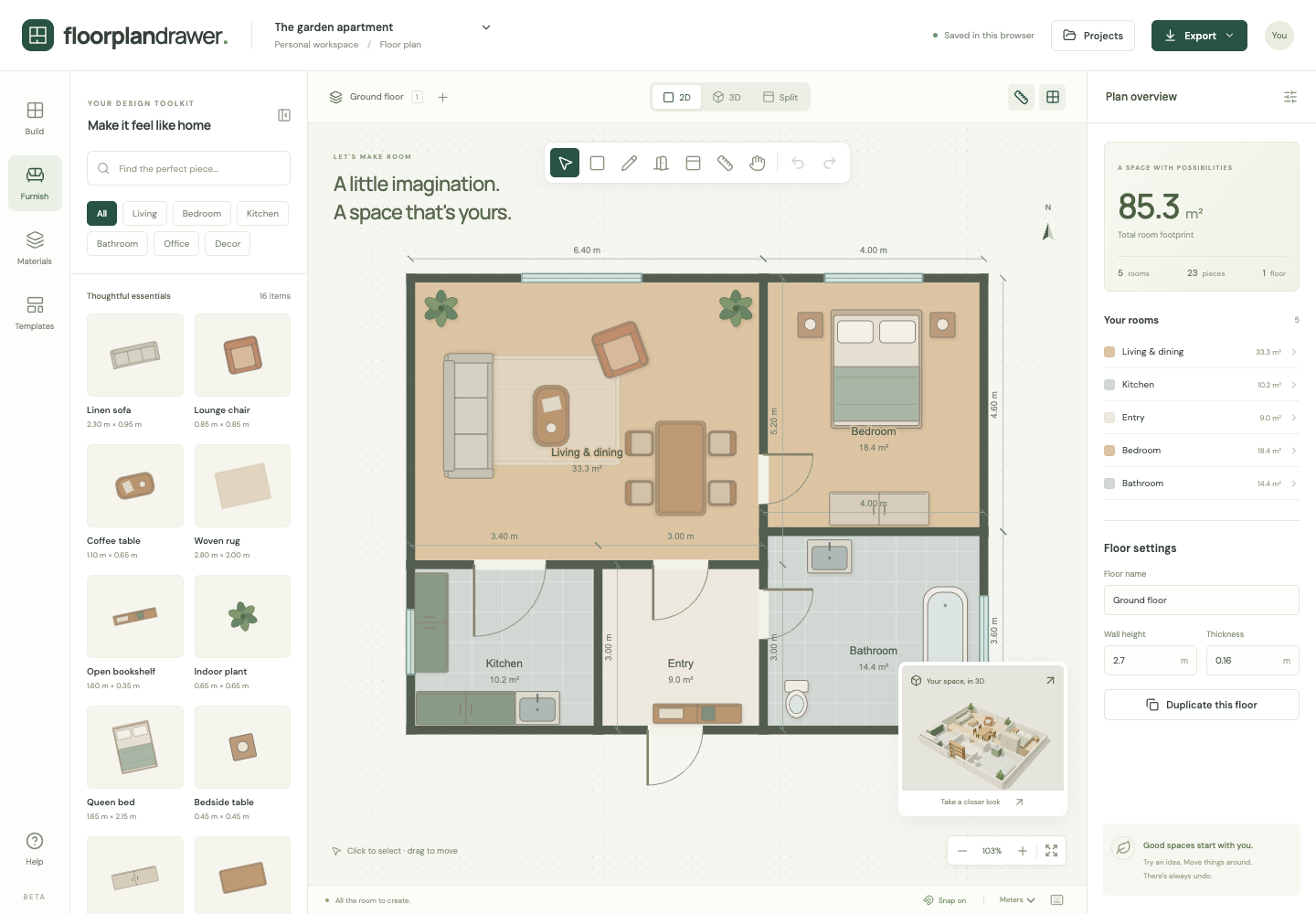
What you get
Actually free
Every tool is included: rooms, walls, doors, windows, 18 furniture pieces, multiple floors, and PNG, SVG and project-file export.
No sign-up wall
There is no account to create. Your plans save automatically in this browser, and you can export a project file to keep a portable backup.
Exact dimensions
Type room sizes in meters or feet, snap to a grid, and read live wall dimensions and floor area as you draw. New to measuring? Read how to draw a floor plan to scale.
2D and 3D together
A miniature 3D preview updates while you draw. Switch to full 3D or a split view; the 3D floor plan maker page explains what the model shows.
Free floor plan software, without the download
What runs in the browser
Floor Plan Drawer is floor plan software that opens in a browser tab. The 2D editor, the 3D view, multiple floors and every export run on your own computer, so there is nothing to install or update. It works on macOS, Windows, Linux and Chromebooks with a current browser.
What you can plan with it
A whole house across several floors, a furniture layout for one room, a kitchen with an island or an office with rows of desks, each drawn to exact dimensions and each with a starting template.
Compared with desktop floor plan software
Desktop programs offer more: polygonal and curved rooms, stairs, DXF and PDF output, large licensed furniture libraries and photorealistic rendering. Floor Plan Drawer is lighter. It covers precise rectangular rooms, live 3D, multiple floors and clean exports, with nothing to install.
What is not available yet
Rooms are rectangles. There are no stairs, no automatic wall recognition from a photo, no AI plan generation, and no PDF or DXF export. Export SVG instead: it opens in Illustrator, Inkscape and most CAD programs.
How it works
- Choose Draw room and drag a rectangle on the canvas. Click the room to type its exact width and length.
- Add doors and windows by clicking a wall, then drag furniture from the catalog into place.
- Export a 2400-pixel PNG, a scalable SVG, or an editable project file. Nothing is watermarked.
Frequently asked questions
- Is Floor Plan Drawer really free?
- Yes. There is no paid tier, no trial period and no export paywall. The editor, the furniture catalog and every export format are free to use.
- Do I need to create an account?
- No. Projects are saved in your browser's local storage. Export a project file if you want to move a plan to another device.
- Can I download my floor plan?
- Yes. Export a 2400-pixel PNG, a vector SVG for printing at any size, a 3D snapshot, or a JSON project file you can re-import later.
- Is it free for commercial use?
- Yes. There is no license, account or subscription. Use it for your own home or for client work.
- Is my plan uploaded anywhere?
- No. Projects stay in your browser's local storage. Nothing you draw is sent to a server.
- Does it work on a Mac, Windows or Chromebook?
- It runs in any current browser with WebGL 2, so it works on macOS, Windows, Linux and Chromebooks. A desktop or tablet screen gives you the most room to work.