Office floor plan maker for desks, meeting rooms and seat counts
Lay out a small office, a studio or a home office to scale. Start from the furnished office template, then move desks around until the seat count and the routes through the room work.
Open the office templateFree. No account. Saves in your browser. Exports PNG, SVG and project files.
What you get
Office template
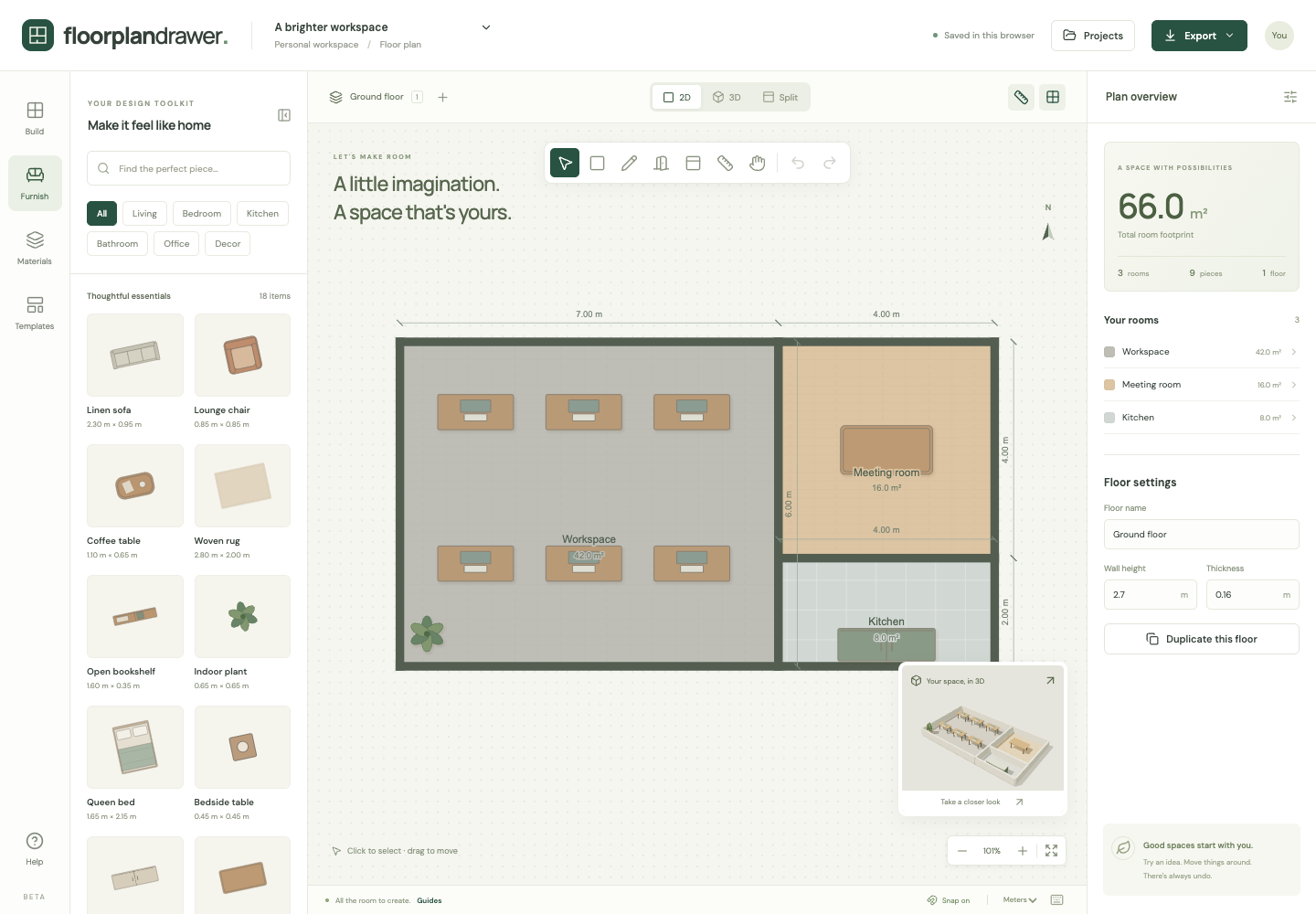
Start from a furnished office with six desks, a meeting room and a kitchenette in 66 m², rather than an empty canvas.
Duplicate desks fast
Place one desk at the right size, then duplicate it with a shortcut to fill a bank quickly.
Walls and meeting rooms
Draw partitions with free-standing walls and add doors so meeting rooms and phone booths read clearly.
Shareable exports
Export a PNG for Slack or email, or an SVG for a landlord or fit-out contractor.
Planning an office layout
For a single home office, the room layout planner is quicker.
Start from the headcount
List how many desks, meeting seats and storage units you need before you draw. The plan's floor area shows whether they fit.
Fill desk banks
Size one desk to your furniture, then press Cmd/Ctrl+D to duplicate it. Each copy appears 40 cm (16 in) down and to the right, ready to drag into line.
Meeting rooms and partitions
Draw partitions with Draw wall (W) and add doors to them, so meeting rooms and phone booths show on the plan and in 3D.
Routes and exits
Keep the routes to every exit clear and check their width with the measure tool. Fire-exit rules depend on your country and building; check them with your landlord or a fire-safety adviser.
How it works
- Open the office template or draw your floor to its measured size.
- Add partitions and doors, then place and duplicate desks and meeting furniture.
- Check walkway widths with the measure tool and export the plan.
Frequently asked questions
- Is the office planner free for business use?
- Yes. It is part of the free floor plan maker: no license fee and no account. Use it for your own office or for clients.
- Can I plan a coworking space or a classroom?
- Yes. Any rectangular space with desks or tables works. Duplicate items to fill rows.
- Can I mark fire exits or electrical points?
- There are no dedicated safety or electrical symbols yet. You can label rooms and add small objects as markers.
- Does it show the office in 3D?
- Yes. Switch to 3D to orbit the layout with cutaway walls and check how partitions affect the space.