House floor plan maker for whole-home layouts
Plan a full house, not just one room. Draw each floor to scale, stack floors, place doors and windows, and check how the layout feels in 3D before you commit to anything.
Open a furnished home planFree. No account. Saves in your browser. Exports PNG, SVG and project files.
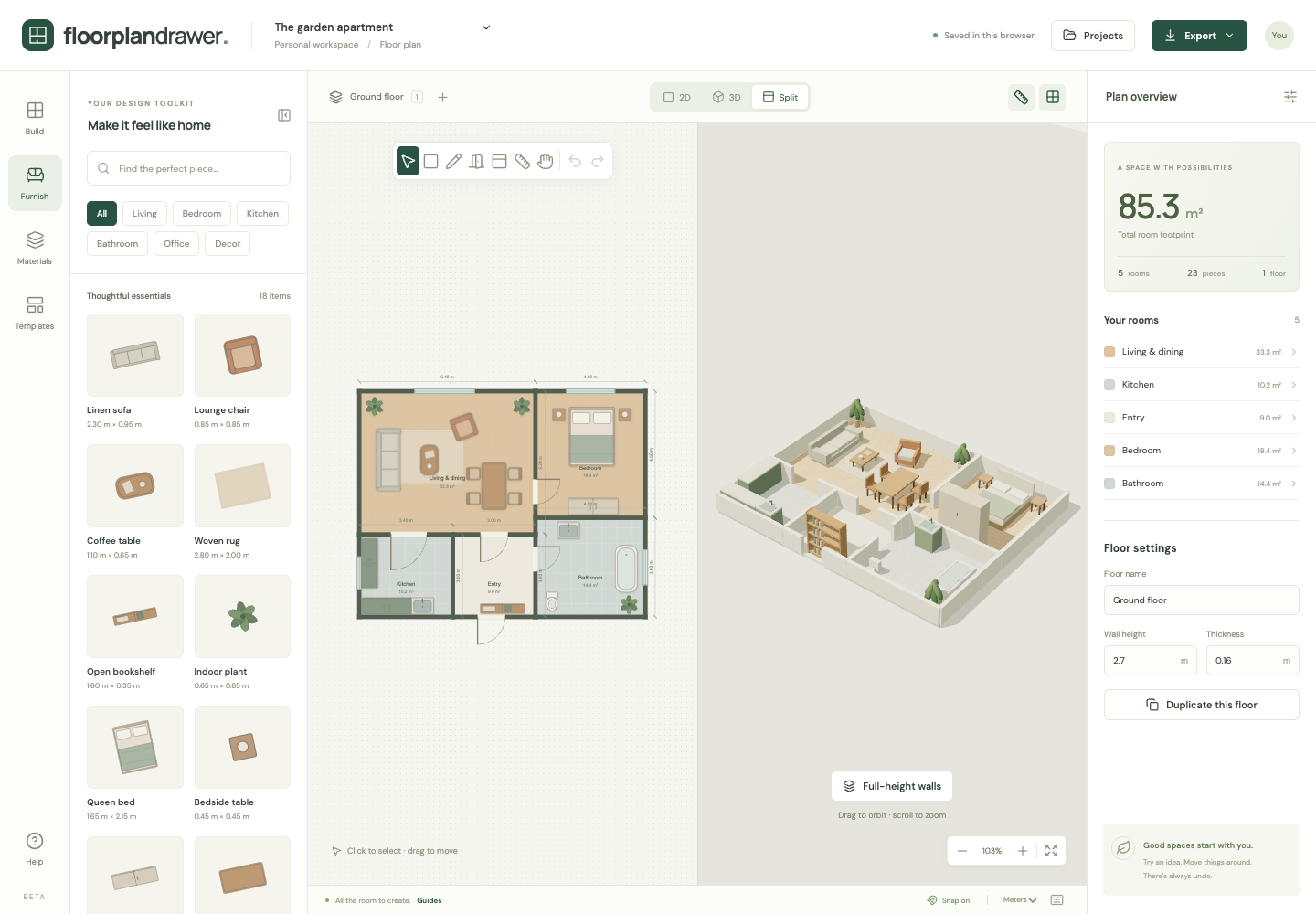
What you get
Multiple floors
Add, name, duplicate and delete floors. Each floor has its own rooms, walls and openings, and you can switch between them instantly.
Real measurements
Enter room dimensions in meters or feet. Wall centerline dimensions and total footprint area update as you draw.
Doors and windows that follow walls
Attach openings to room edges. Move or resize the room and its doors and windows travel with it, in 2D and 3D.
Six floor finishes
Try wood, tile, concrete and more per room. The finish shows in both the plan and the 3D model.
What to measure before you draw your house
Measure the whole house before you draw any of it. The full method, with scale and symbols, is in how to draw a floor plan to scale.
The outside walls
Measure the outside of the house along each wall, then check one diagonal of each rectangle to confirm the corners are square. These numbers set the outline every room fits inside.
Each room's width and length
Measure along the floor from wall to wall, not at skirting or worktop height. Note which rooms share a wall so the plan lines up.
Doors, windows and openings
Record the width of each door and window and its distance from the nearest corner. In the editor, openings attach to a wall and keep their position when you resize the room.
Each floor on its own
Measure upper floors separately. Duplicate the ground floor in the editor to keep the outside walls in place, then redraw the rooms above. Stairs are not a separate object yet, so mark the stairwell as a labelled room.
How it works
- Start from the furnished apartment template or a blank canvas, then draw the ground floor room by room.
- Use Floors to add an upper level. Duplicate the ground floor to keep exterior walls aligned, then edit the rooms.
- Switch to 3D to orbit the house with cutaway walls, then export the plan, or add dimensions and labels for a to-scale blueprint.
Frequently asked questions
- Can I draw a two-storey house?
- Yes. Projects support up to 20 floors. Duplicate a floor to keep the outer walls in the same place on each level.
- Can I trace my existing house plan?
- Yes. Upload a PNG, JPG or WebP of your plan under Build, enter its real-world width to scale it, and draw over it. The tracing image does not appear in exports.
- How accurate is the area calculation?
- Area is the union of room footprints measured at wall centerlines. It is a planning figure, not a certified internal usable-area survey.
- Can I plan the kitchen in detail?
- Yes. Draw it as part of the house, or open the kitchen layout planner template, which has cabinets, appliances and an island.