3D floor plan maker that renders while you draw
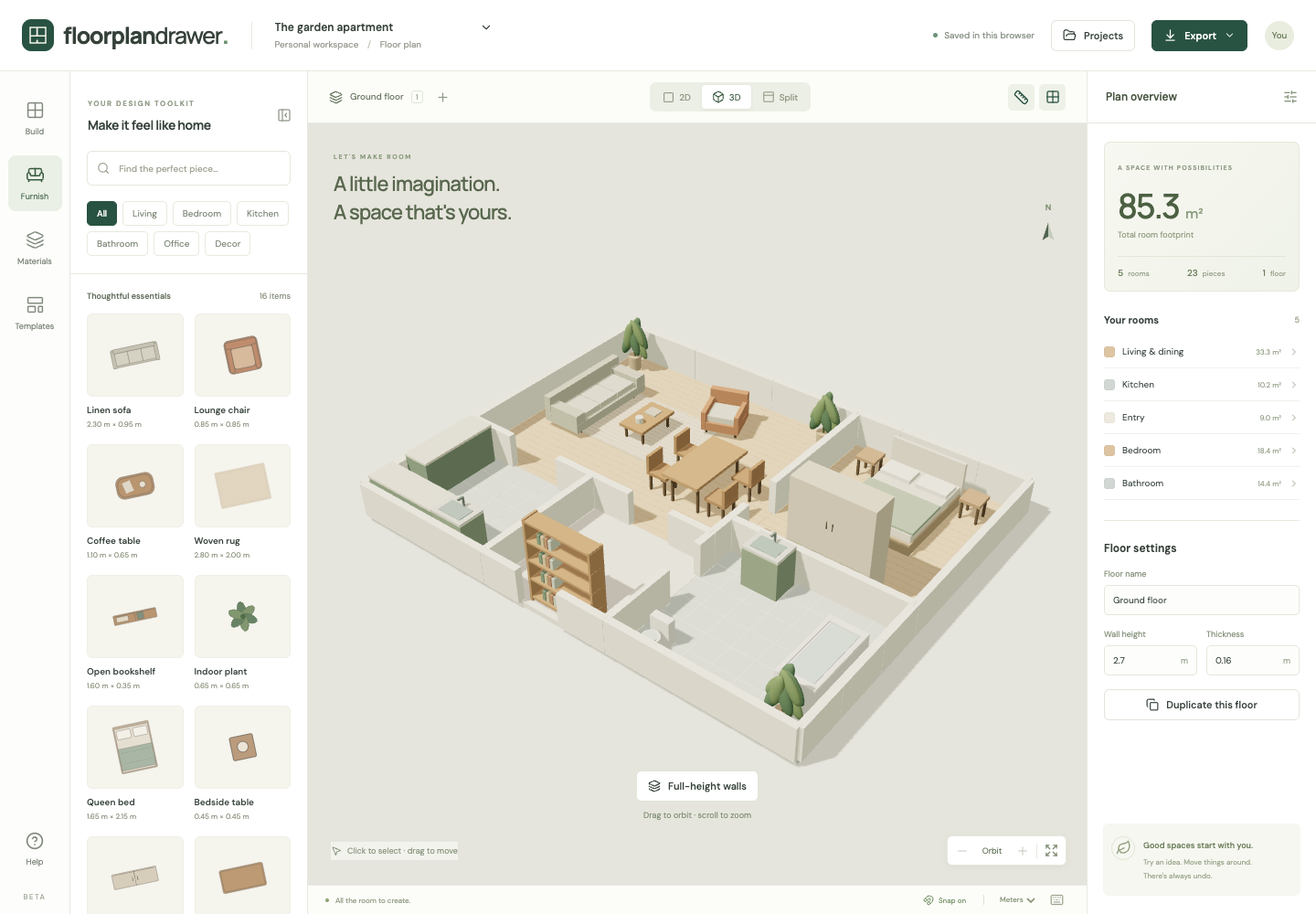
Every room, wall, door and piece of furniture you place in 2D appears in 3D at the same moment. No conversion step, no upload, no render queue.
Open the 3D viewFree. No account. Saves in your browser. Exports PNG, SVG and project files.
What you get
One model, two views
The 2D plan and the 3D scene read the same document. Change a wall or a floor finish and both update.
Orbit and inspect
Rotate, tilt and zoom the model. Click furniture or rooms in 3D to select and edit them.
Cutaway or full-height walls
Switch between low cutaway walls, which show the whole layout from above, and full-height walls, which show the rooms as they will look inside.
3D snapshot export
Export the current 3D camera view as a PNG for a listing, a moodboard or a client message.
How the 2D plan becomes a 3D model
Walls
Each room edge and each free-standing wall is built to the floor's wall height (2.7 m by default) and wall thickness. Change either in the floor settings and the model rebuilds.
Doors and windows
A door cuts an opening from the floor to 2.1 m. A window cuts an opening from a 0.9 m sill to a 2.2 m head. Move an opening in 2D and it moves in 3D.
Floors and furniture
Each room's floor finish shows in 3D, and every catalog piece has a simple 3D model built at the width, depth and height you set.
What the 3D view does not do
There is no first-person walk-through and no photorealistic rendering. The view is for checking proportions, sight lines and how full a room is.
How it works
- Draw rooms and walls in 2D. Watch the miniature 3D preview update as you go.
- Switch to 3D or split view, orbit the model and adjust finishes, wall height and shadows.
- Export a 3D snapshot alongside your 2D plan.
Frequently asked questions
- Is the 3D floor plan maker free?
- Yes. The 3D view is part of the free floor plan maker, with no render credits or paid export.
- Can I convert an existing 2D floor plan to 3D?
- You can upload an image of your plan as a tracing layer, draw the rooms over it, and the 3D model builds as you draw. Automatic wall recognition is not available.
- Are the renders photorealistic?
- No. The 3D view uses simple procedural furniture and real-time shadows so it stays fast in the browser. It is built for checking layout and proportion, not for marketing renders.
- What does the 3D view need?
- A current browser with WebGL 2 and hardware acceleration. Three.js loads only when you open the 3D view.